

Description
Download Quintura Search – visual map search engine, contextual tags
What Is Quintura Search and Why It Matters
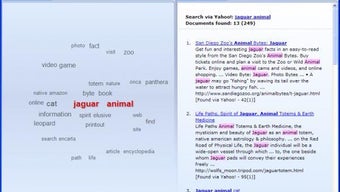
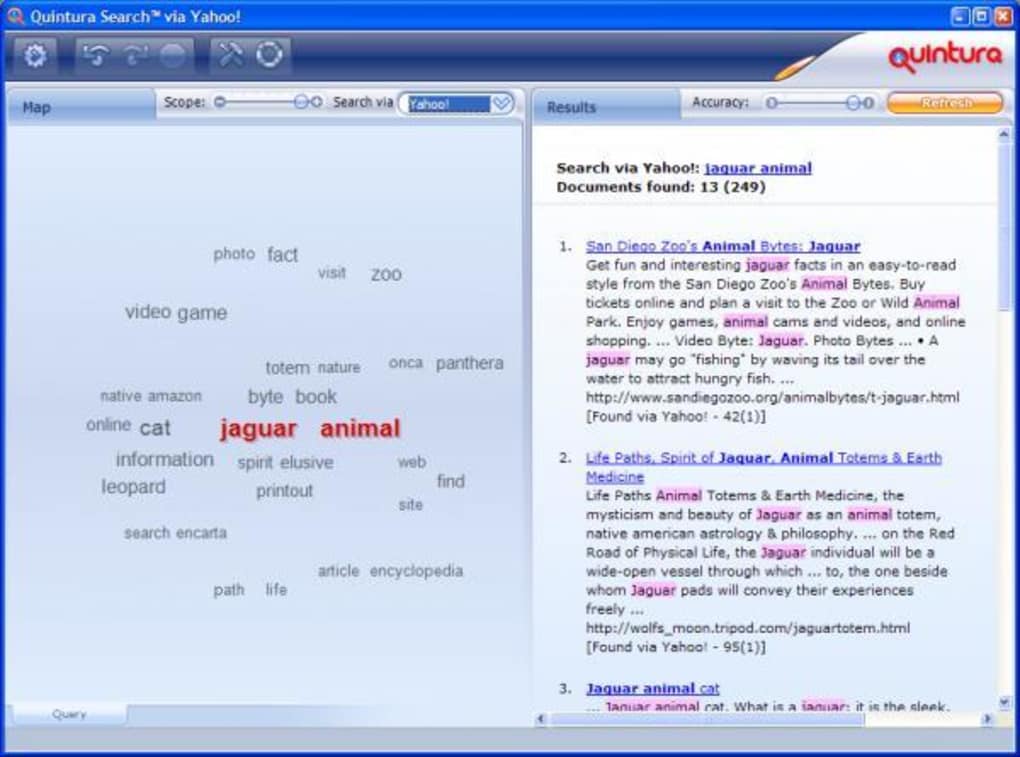
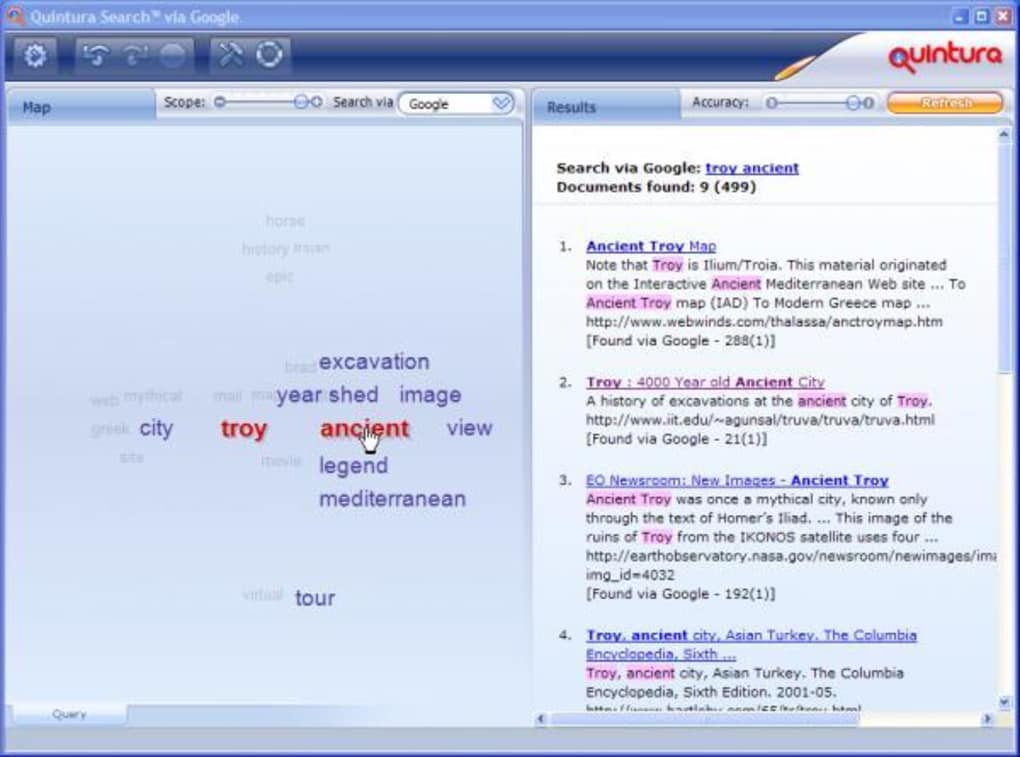
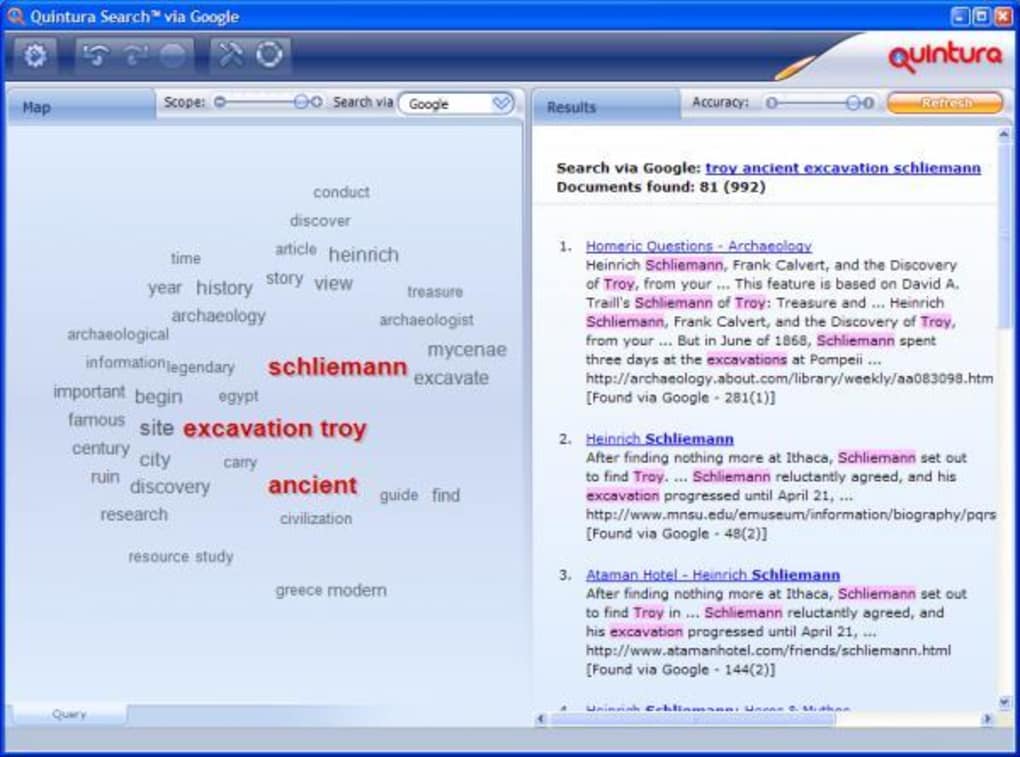
Quintura Search is a pioneering desktop application that transforms the way you browse the web. Instead of typing a string of keywords and scrolling through endless result pages, Quintura visualises your query as a dynamic “map of context‑based tags.” When you type a term, related words float around it like a digital cloud of ideas. Hovering over any of those words expands the map, revealing deeper connections while the chosen search engine (Google, Google News, Yahoo! or MSN) delivers relevant results in a side panel. This unique, stream‑of‑consciousness approach helps you explore a topic from every angle, making research feel more like a visual adventure than a linear hunt. The concept echoes the breakthroughs of Hotmail for email, Google for search, and Skype for voice‑over‑IP – Quintura aims to become the next “killer app” for information discovery. Its design encourages users to follow curiosity‑driven pathways, reducing the reliance on Boolean operators and traditional back‑button navigation. While the learning curve can feel like switching from a manual transmission to an automatic, most users report a sense of liberation after a short acclimation period. The result is a richer, more intuitive web‑surfing experience that can reveal hidden corners of the internet you might never have found with a conventional search box.
Core Features That Redefine Web Exploration
- Contextual Tag Cloud – real‑time visual map of related terms that expands as you hover.
- Multi‑Engine Support – seamless integration with Google, Google News, Yahoo! and MSN.
- Adjustable Scope & Accuracy – scroll bars let you fine‑tune the breadth and precision of results.
- Save & Resume Searches – one‑click session saving so you can pick up where you left off.
- Side‑Panel Results – instant preview of search results without leaving the map interface.
- Red Highlighted Path – clicked tags turn red, allowing easy back‑tracking by “unclicking.”
- Lightweight Desktop Client – runs on Windows and macOS without requiring a browser plug‑in.
Quintura’s visual tag cloud is more than a gimmick; it’s a cognitive aid. By presenting related concepts as floating nodes, the software mirrors how our brains associate ideas, helping users discover sub‑topics they hadn’t considered. The adjustable scope bar is especially useful for researchers who need either a broad overview or a laser‑focused deep dive. For example, a journalist investigating “climate change policy” can start with a wide‑angle view that includes terms like “carbon tax,” “renewable incentives,” and “Paris Agreement,” then narrow the scope to concentrate on legislative texts only. The side‑panel results keep the map uncluttered while still delivering the full power of the chosen search engine. Moreover, the ability to save a session means long‑term projects—like academic dissertations or market analyses—can be paused and resumed without losing the visual trail you built. While the app currently limits you to four major search providers, the depth of its visualisation compensates by offering a more immersive exploration method than traditional SERP lists.
Installation, First‑Run Usage, and System Compatibility
Getting started with Quintura Search is straightforward. The installer is available as a single .exe for Windows and a .dmg for macOS. Follow these steps to launch the app securely:
- Visit the official Quintura website and click the “Download for Windows” or “Download for macOS” button.
- After the file finishes downloading, run the installer. Windows users may need to confirm the User Account Control (UAC) prompt; macOS users will drag the app into the Applications folder.
- Launch Quintura from the desktop shortcut (Windows) or the Applications folder (macOS). The first launch may request permission to access the internet—grant this so the built‑in search queries can function.
- On the welcome screen, select your preferred search engine from the dropdown list. You can switch engines at any time via the settings icon in the upper‑right corner.
- Enter your initial query into the central input box and press Enter. The tag cloud will populate within seconds, and the results panel will appear on the right.
- Hover over any floating tag to expand the map. Click a tag to lock it in red and refine the search; click again to “unclick” and backtrack.
- If you wish to pause your session, click the “Save Search” button at the bottom. The next time you open Quintura, you can reload the saved map and continue where you left off.
Quintura is built on the .NET framework for Windows and utilizes Apple’s Cocoa APIs for macOS, ensuring smooth performance on modern hardware. Minimum system requirements are modest: 2 GB RAM, 100 MB free disk space, and a 64‑bit processor. The application runs on Windows 10/11 and macOS 10.14 Mojave or later. Because the software does not rely on a browser plug‑in, it remains insulated from typical web‑extension vulnerabilities, offering a secure environment for research. Updates are delivered automatically via an integrated updater that checks for new versions each time the program starts. Users can also manually trigger an update from the settings menu if they prefer to control the timing of downloads.
Pros, Cons, and Frequently Asked Questions
Pros
- Innovative visual search: Turns keyword hunting into an intuitive, graphical experience.
- Easy back‑tracking: Red‑highlighted tags and “unclick” functionality simplify navigation.
- Adjustable scope: Users control the breadth and precision of results on the fly.
- Session saving: Perfect for long‑term research projects.
- Lightweight desktop client: No browser extensions required, low CPU footprint.
Cons
- Limited to four search engines; no direct support for Bing, DuckDuckGo, or custom APIs.
- No dedicated search‑window; starting a new query requires closing the current session.
- Initial learning curve can feel disorienting for users accustomed to traditional SERP lists.
- Missing advanced Boolean operators and filter options that power users may miss.
FAQ – Your Quintura Questions Answered
Is Quintura Search free to use?
Yes, Quintura offers a fully functional free version with all core visual‑search features. Premium upgrades are planned for future releases, but the current free app provides unlimited searches and session saving.
Can I use Quintura on Linux?
At present, Quintura is officially supported only on Windows 10/11 and macOS 10.14+. A Linux version is under consideration, but users can run the Windows build through Wine with limited functionality.
How does Quintura protect my privacy?
Quintura does not store search queries on external servers. All tag generation and result fetching happen locally, with only the chosen search engine receiving the query. The app follows standard TLS encryption when communicating with Google, Yahoo! or MSN.
Can I customize the visual theme or colors?
The current version includes a light and dark mode toggle. Future updates aim to add user‑defined color palettes for the tag cloud, but at the moment theme changes are limited to those two presets.
What should I do if the tag cloud becomes too crowded?
Use the scope slider at the top of the interface to narrow the number of related terms displayed. You can also zoom out by pressing Ctrl + - (Windows) or ⌘ + - (macOS) to reduce visual clutter.
Final Verdict – Should You Download Quintura Search?
Quintura Search delivers a fresh, visually driven way to explore the web that feels more like navigating a mind‑map than scrolling through endless lists of links. Its strengths lie in the intuitive tag cloud, adjustable search scope, and the ability to save and resume complex research sessions—all wrapped in a lightweight desktop client that runs securely on Windows and macOS. While the current engine selection is modest and advanced search operators are absent, the overall experience compensates by opening up new pathways of discovery that traditional search engines simply cannot provide. If you’re a researcher, student, or curious net‑surfer who enjoys visual learning and wants to break free from the constraints of conventional SERP navigation, Quintura is a compelling addition to your toolkit. Download the free version today, experiment with the floating tags, and see how the internet looks when it’s mapped to your thoughts. Once you’ve tried it, you’ll likely never return to a plain textbox again.
Click here to download Quintura Search now and start visualising your queries instantly.
Guides & Tutorials for Quintura Search
How to install Quintura Search
- Click the Preview / Download button above.
- Once redirected, accept the terms and click Install.
- Wait for the Quintura Search download to finish on your device.
How to use Quintura Search
This software is primarily used for its core features described above. Open the app after installation to explore its capabilities.
User Reviews for Quintura Search 0
No reviews found





